Local-first · works offline
Highlight a sentence.
Get it done.
Q.Shift turns your project notes into tasks. Write what you're planning, highlight what needs doing — it becomes a task, right there in the text. No account. Works offline.
Free · No account · Local-first
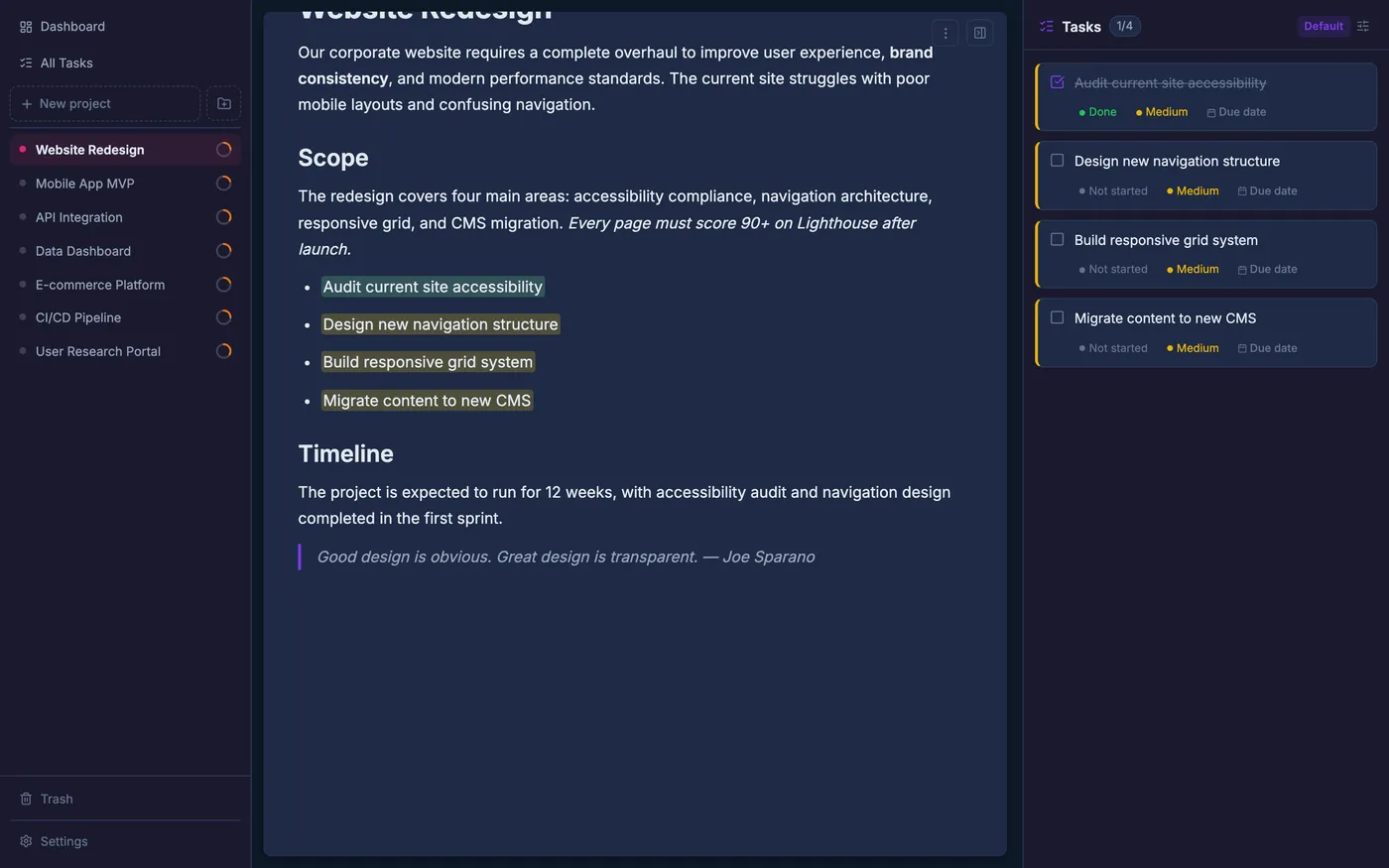
The draft reads well, but the opening drags. Before launch I need to rewrite the onboarding section and tighten the examples.
Rewrite the onboarding section
Your document is already the plan.
Most tools make you copy a task into a separate list. Q.Shift doesn't. The highlight stays in your writing — a living marker you can see in context.
- To do
- In progress
- Done
Features
See your work the way you think.
-
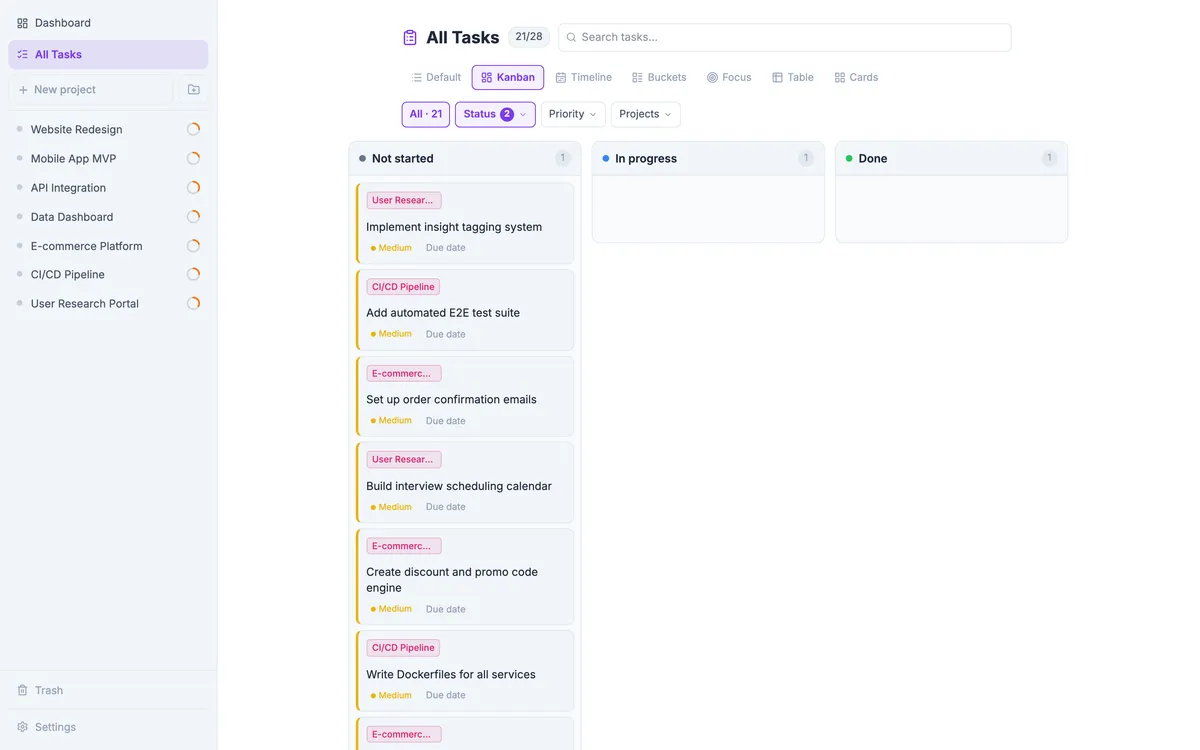
Eight views, one set of tasks
List, Kanban, Timeline, Focus, Table, Cards, Due buckets, Compact. Switch how you see the same work.
-
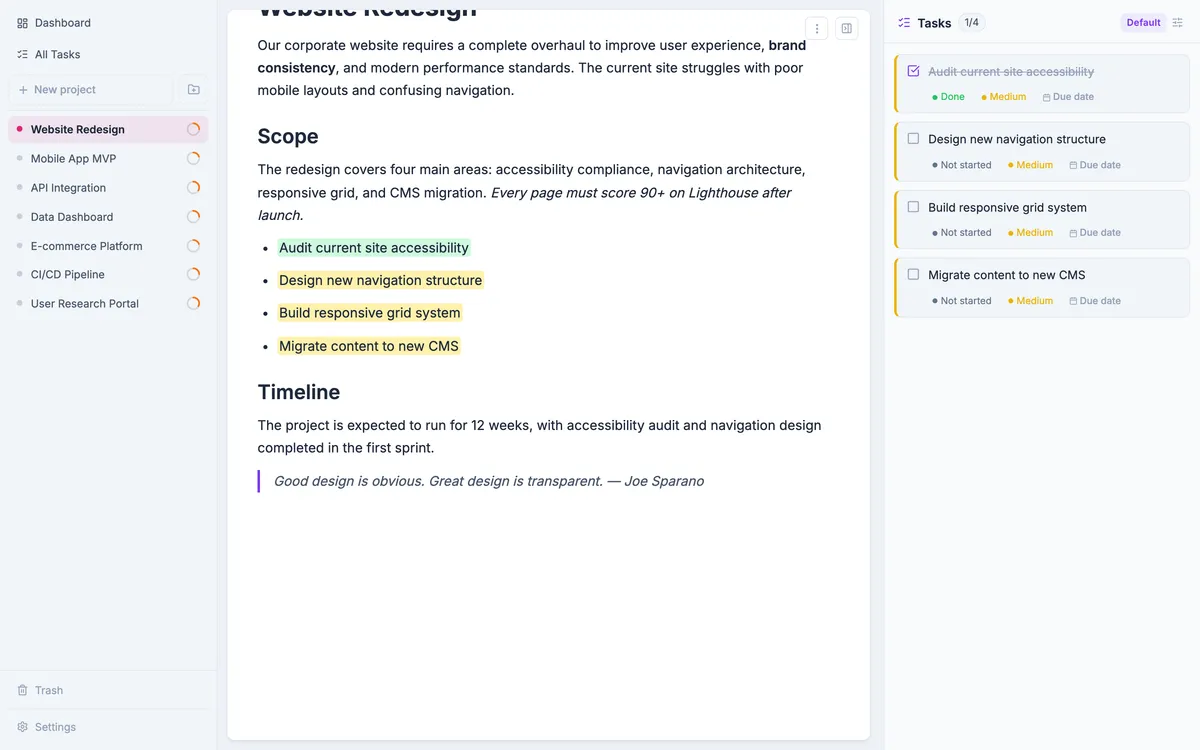
A real writing surface
Headings, tables, images, code, callouts, slash commands. It's a proper editor.
-
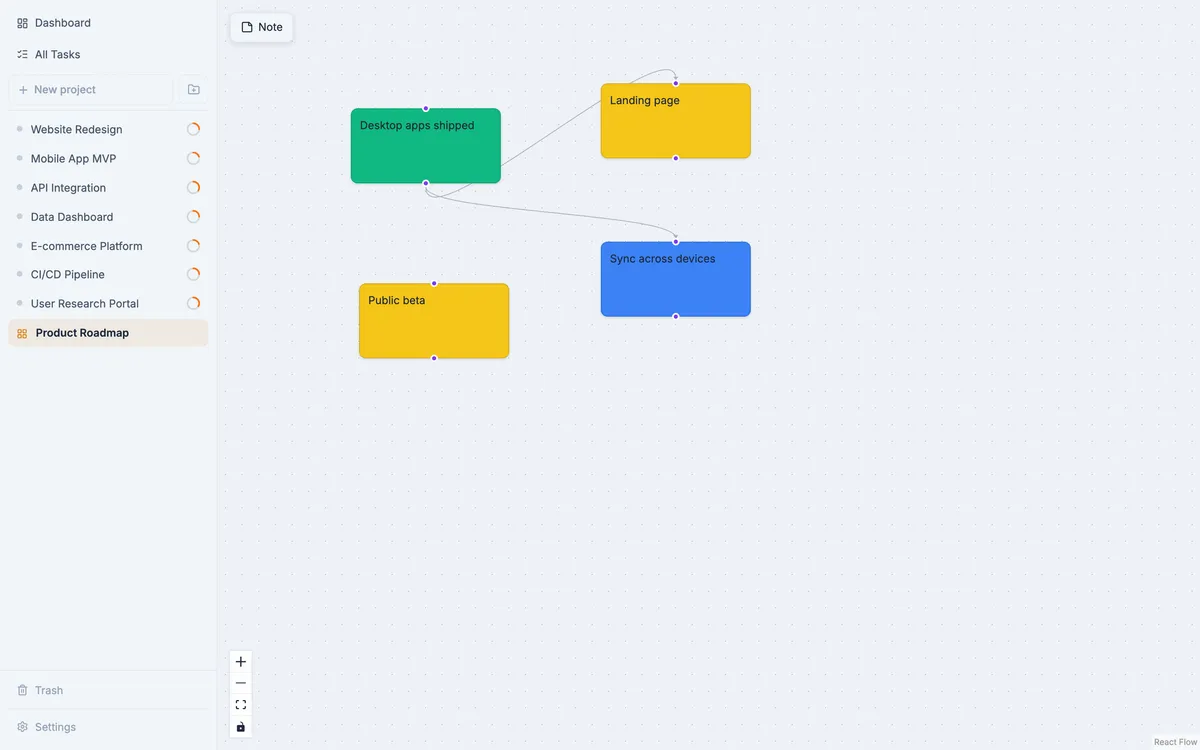
A canvas when you need space
Sketch ideas on an infinite whiteboard with sticky notes and arrows.
-
Export to PDF
Clean, vector PDFs — text, tables and images included.
-
Works offline
Everything lives on your device. Open it on a plane; it just works.
-
Mac, Windows, and the browser
Native desktop apps, or any modern browser. Same app, your choice.
Privacy by design
Your work stays yours.
No account to create. No server to trust. Q.Shift stores everything locally, in your browser or desktop app. Back up to a single file whenever you like.
- No sign-up
- No cloud
- One-file backup
- Open and go
Get the desktop app.
Native builds for macOS and Windows. Same Q.Shift, on your machine.
Builds aren't signed yet. macOS: right-click → Open. Windows: More info → Run anyway.
Sync and accounts are coming.
Q.Shift is local-first by design. Optional, encrypted sync across your devices is on the way. Leave your email and we'll tell you when it lands — nothing else.
No spam. One email when it’s ready.
Questions, answered.
Do I need an account?
No. Q.Shift works without sign-up. Your data stays on your device.
Where is my data stored?
Locally — in your browser's storage or the desktop app. Nothing is sent to a server.
Is it free?
Yes, it’s free to use today.
Which platforms?
macOS and Windows desktop apps, plus any modern browser.
Will there be sync between devices?
It’s planned — optional and encrypted. Leave your email above to hear first.
Is there a mobile app?
The web version works on mobile browsers. Native apps may come later.
Can I get my data out?
Anytime. Export everything to a single JSON file, or export documents to PDF.